Block's Dessa, described as a conversation model trained only on speech, climbed the Hacker News front page this week with 301 points and 113 comments. Before you talk to any new AI tool, you can do a five-minute check that tells you a lot about what happens to your data. This guide uses the privacy notice for the Dessa website as a worked example, and then gives you steps you can reuse on any AI product.
One caution first. The details below come from the summary of Block's privacy notice for the dessa.com website, as reported from Block's page. I haven't gone beyond that, and the notice itself is the final word. Policies change, so read the current version yourself.
What the Dessa notice says, in plain terms
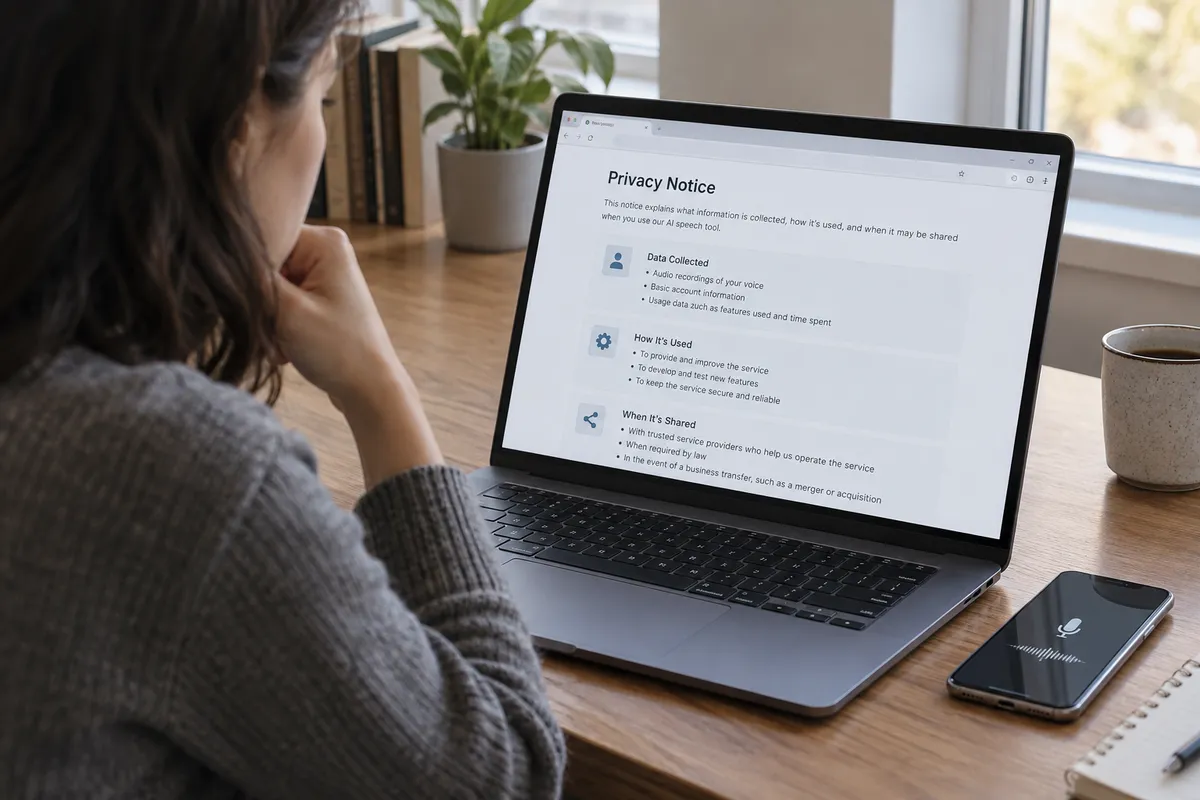
Per the summary of Block's notice, it covers the dessa.com website and describes three things:
- What is collected: personal data, device data, and usage data.
- How it's used: the notice explains the purposes for that data.
- When it may be shared: with affiliates, with service providers, or with legal authorities.
That structure is typical of a website privacy notice. It's useful to know it applies to the website. A notice for visiting a site is not automatically the same as terms covering a voice product's recordings. If you later use a speech feature, look for separate terms that cover audio.
Step 1: Find out who is actually behind the tool
The notice is published by Block, which is the company's link to Dessa. The notice also ties into Block's wider family. Block's other brands include Square, Cash App, Afterpay, and TIDAL, per the notice summary.
Why this matters to you: when a company shares data with "affiliates," the affiliate list defines who might see it. Look for a line naming the parent company and its other brands. If you already use one of those services, ask yourself whether you're comfortable with the same company knowing you tried a new AI product.
Step 2: Sort the data into three buckets
Open the notice on your computer or phone (any current browser works) and search the page for the words "collect" or "information we collect." Then sort what you find:
- Personal data: things like what you type into forms or provide directly. Ask: do I have to give this to try the tool?
- Device data: information about the phone or computer you use. This usually happens automatically.
- Usage data: what you click and how you use the site.
The first bucket is the one you control. The other two mostly happen just by visiting. If the first bucket is empty until you sign up, you can look around the site with little personal exposure.
Step 3: Check the three sharing triggers
Search for "share" or "disclose." The Dessa notice, per the summary, names three groups:
- Affiliates: related companies.
- Service providers: vendors who do work on the company's behalf, such as hosting or analytics.
- Legal authorities: disclosure when the law requires it.
The third is common and not unusual by itself. The first two are where you should read closely. Look for whether the text says what those groups may do with your data, or only that sharing happens.
Step 4: Ask the speech-specific questions
A website notice may not answer these, so check whether any product terms do. Voice data is more personal than typed text, because a recording can carry your voice, your surroundings, and other people.
- Are recordings stored, and for how long?
- Can I delete them?
- Is my audio used to train or improve the model?
- Does it apply to other people speaking near me?
If you can't find clear answers, treat that as an answer. Wait until the company publishes them before you share real voice samples.
Step 5: Use a low-risk test routine
When you do try an AI tool for the first time:
- Use a separate email address, not your main one.
- Skip optional profile fields.
- Don't say or type anything you wouldn't want stored, such as account numbers, addresses, or health details.
- Review your browser's site permissions. On a phone, check Settings for the browser and confirm microphone access is off until you need it.
- After testing, look for account or data deletion options and use them if you won't return.
What the trend says
This is my read, not a claim from Block: AI tools that learn from interaction make privacy notices a practical trust signal, not legal filler. A clear, readable notice, an obvious parent company, and specific answers about audio are good signs. Vague language is a reason to hold back.
The one habit to keep
Before your first conversation with any new AI tool, spend five minutes finding three things in its privacy notice: who owns it, what it collects, and who it shares with. If you can't find all three, don't hand over your voice yet.