
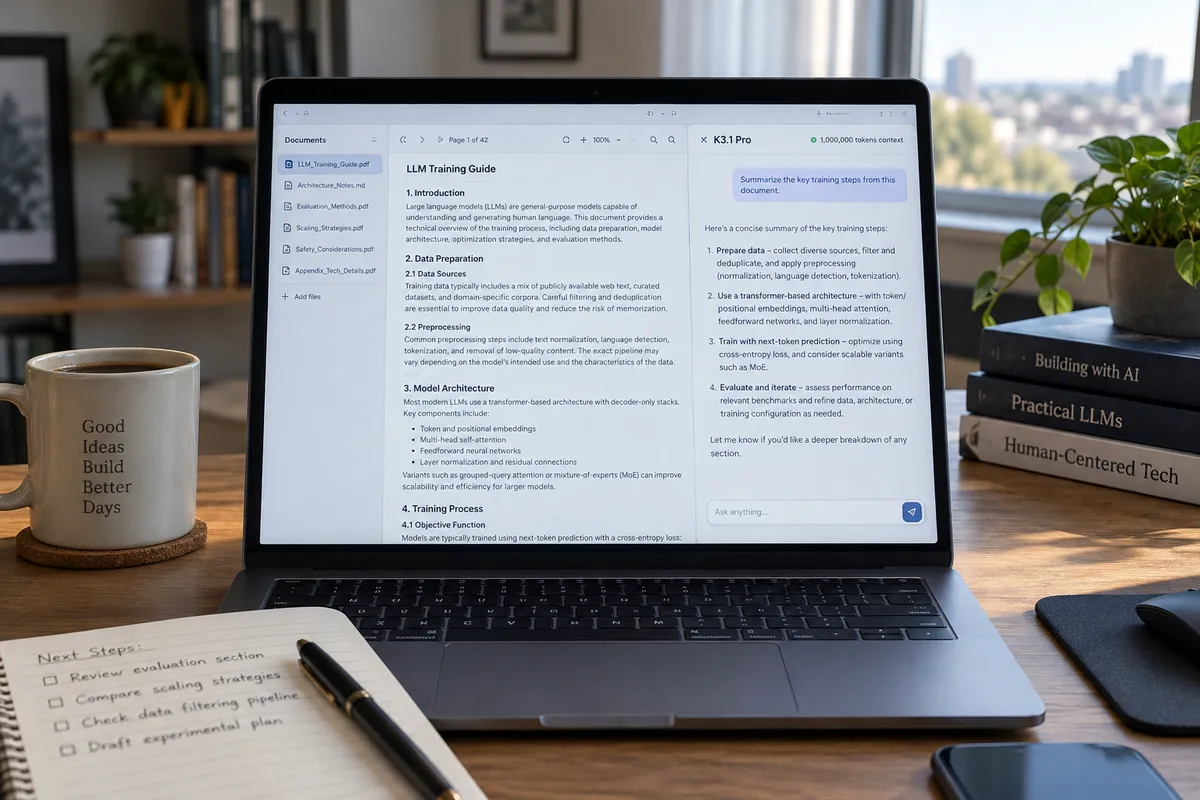
Kimi has released K3.1 Pro, an open-weight AI model with a 1-million-token context window, along with a faster version called K3.1 Pro Highspeed. If you've never needed to care about context windows, this is a good moment to learn what one is, because it's the feature most likely to change how you use AI day to day. Below, you'll get a plain-English explanation and a simple way to test whether it helps your own work.
What Kimi announced
Per Kimi's announcement, K3.1 Pro is a "3T-class" open-weight model. Kimi says it improves in these areas:
- Coding
- 3D creation
- Finance workflows
- Agentic reasoning (the AI carrying out multi-step tasks)
- Factual accuracy
- Controlled cybersecurity capabilities
The Highspeed variant is the faster option. Kimi's model documentation and a third-party listing on Artificial Analysis are linked from the original post, which drew hundreds of comments on Hacker News. I can only report what Kimi says here; I haven't verified the performance claims, and you shouldn't treat them as proven until independent tests accumulate.
What "1 million tokens" means for everyday use
A token is a small chunk of text, often a word or part of a word. The context window is how much the AI can hold in view at once: your messages, the documents you paste in, and its own replies. Once you exceed it, older material falls out of its working memory.
A larger window means you can give the model much more material in one go. Practical examples of what that makes easier:
- Pasting in several long reports and asking it to compare them
- Giving it a whole codebase or a big folder's worth of notes, instead of one file at a time
- Keeping one long conversation going without it forgetting what you said at the start
A big window is not a guarantee of good answers. Models can still miss details buried in huge inputs, so check anything important against the original.
What "open-weight" means
Open-weight means the trained model's weights are released, so others can download and run it rather than only using it through the maker's website. Kimi's release includes the weights, per its announcement. For most people, the practical benefit is indirect: more apps and services can build on the model, and competition among providers tends to push prices and features in your favor.
A caveat: a model in the 3T class is very large. Running it yourself generally takes serious server hardware, not a laptop or phone. Most readers will use it through an app or hosted service.
Highspeed or Pro: how to choose
Kimi hasn't given us details in what I can cite about exact speed differences, so check its model documentation before deciding. As a general rule for any fast-versus-full model pair:
- Use the faster version for quick drafts, simple questions, and back-and-forth brainstorming.
- Use the full version for work where accuracy matters more than waiting a few extra seconds, such as long document analysis or complex code.
A 20-minute test you can run yourself
Don't rely on benchmark charts. Test on your own tasks. Access options and versions may change, so start at Kimi's documentation page for current instructions.
Step 1: Pick one real task
Choose something you actually do: summarizing a long PDF, cleaning up a spreadsheet's worth of notes, or fixing a small script. Real work exposes weaknesses that demos hide.
Step 2: Give it a long input
Paste in the full document rather than an excerpt. This is the feature that sets K3.1 Pro apart, so use it.
Step 3: Ask something specific
Good: "List every deadline mentioned and which section each appears in." Weak: "Summarize this." Specific questions make mistakes easy to spot.
Step 4: Spot-check the answers
Open the original and verify three or four claims. Kimi says factual accuracy improved; your check tells you whether that holds for your material.
Step 5: Run the same prompt elsewhere
Try the identical prompt in whatever assistant you already use, then compare accuracy, speed, and how much cleanup each answer needs. Kimi is positioning K3.1 Pro as an alternative to top proprietary models like Claude and GPT, so a side-by-side on your own task is the fair way to judge that claim.
Be careful with sensitive files
Before pasting contracts, financial statements, or private code into any AI service, check where the data goes and how it is stored. Kimi highlights finance workflows, which makes this especially relevant. When in doubt, redact names and account numbers first.
The bottom line
A long context window only matters if it saves you work. Pick one long document you've been avoiding, run it through K3.1 Pro, and verify the answers against the original before you trust the tool with anything bigger.